
Thing
Pip-Boy 3000 Mark IV
The Pip-Boy 3000 Mark IV is a pre-War Personal Information Processor (PIP) in…
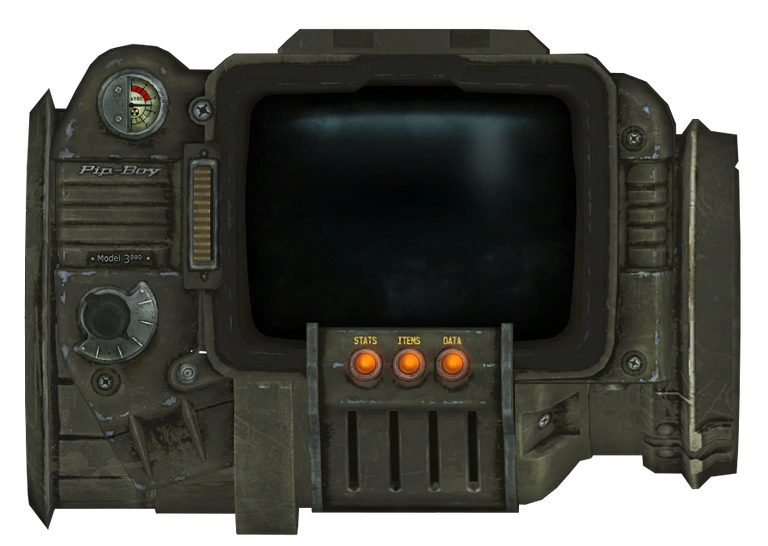
The Pip-Boy 3000 Mark IV is a pre-War Personal Information Processor (PIP) in Fallout 4 manufactured by RobCo Industries and acts as a database for the wearer's personal information and inventory. It is an updated version of the Pip-Boy 3000. Its operational manual can be read here.
Functions
The Pip-Boy 3000 Mark IV is a multi-functional device that features a built-in Geiger counter and has been programmed to display the wearer's stats, area maps, inventory, and item properties. Its screen also acts as a flashlight in low visibility areas and it has a dial for tuning into radio frequencies. It is a more ergonomically designed and up-to-date version of the Pip-Boy 3000 used in other vaults.

Specifications
The software stack and specifications on the Sole Survivor's Pip-Boy 3000 Mark IV consist of the following: The system supports booting from holotape instead of onboard ROM. Though several executable games are found in the Commonwealth, no boot disks are known to exist.
Pip-OS supports some model of multitasking, as user health notifications, munitions monitoring, quest tracking, and audio playback can all be executed concurrently. Additionally, it integrates with the onboard computers of Power Armor, allowing a user to access their Pip-Boy from within the armor via a HUD-like on-visor display.
The chosen color also affects VATS and the UI. By default it is set to green outside of Power Armor and beige within Power Armor.
Pip-OS v7.1.0.8
Nondescript system components "Loader v1.1" and "Exec Version 41.10"
Deitrix 303, an operating system stored on ROM bank 1
An unnamed Pip-Boy GUI, started after system initialization
A monochromatic vector display with a configurable foreground color
An undisclosed model of processor
64k of onboard memory, with 38,911 bytes free after system initialization and before chainloading Deitrix
Statistics menu
The statistics menu, or 'Stats', shows the user's damage and resistance, health, AP, experience, and limb condition. The levels of their SPECIAL attributes are shown in a separate tab, with a third tab displaying various perks they have acquired.
Inventory menu
The inventory menu is a system used for viewing and managing collected items. The menu also displays total caps and carry weight at the bottom of the screen. It is sorted into seven tabs:
This Pip-Boy, while being an upgraded version of the Pip-Boy 3000, does not have the same keychain functionality and is susceptible to key clutter in the miscellaneous tab.
• Weapons: All weapons, grenades, and mines fall in this tab. Specs of weapons can be viewed and compared, as well as equipped and unequipped. An icon on the bottom of the screen displays the current damage output.
• Apparel: All armor and clothing appear in this tab. Specs of armor and clothing can be viewed and compared, as well as equipped and unequipped. The bottom right corner of this screen displays all current resistances.
• Aid: Medicines, chems, food, and drinks are sorted here and can be used and consumed in this tab. The health bar is also shown at the bottom of this screen.
• Misc: Miscellaneous items such as keys, holotapes, notes, bobby pins and items which fall under no other category are in this tab. Holotapes and notes can be played or read here.
• Junk: Resources for crafting, items that can be scrapped for resources and resource shipments are listed in this tab.
• Mods: A tab for weapon and armor modifications used at weapon and armor workbenches.
• Ammo: Lists all types of ammunition for guns currently in inventory.
Data menu
The data menu is mainly used as a means to keep track of overall progression, as well as view the current date and time in-game. It is divided into three categories:
• Quests: All current and completed quests and miscellaneous objectives can be seen here.
• Workshops: This tab keeps track of statistics for any settlement currently under control, such as current population, food and water production, defense, the number of beds and total settlement happiness.
• Stats: This function lists a variety of trivial in-game statistics that can be viewed. It is divided into five subcategories:
• General: Displays general statistics, such as the number of locations discovered and cleared, days passed, hours slept, etc.
• Quest: Lists the number of quests that have been completed and what kind.
• Combat: Displays combat statistics, such as the numbers and types of enemies killed, critical strikes used and several perk-related accomplishments.
• Crafting: Shows the number of things that have been crafted, plants harvested, settlements unlocked, items scrapped, objects built and supply lines created.
• Crime: Lists the number of crimes that have been committed, such as murder and the number of locks picked and computers hacked.
Map menu
The map menu opens centered on the device's current location. It can switch between the world and local maps and can be used to view current supply lines between settlements. The user can view all discovered and marked locations set waypoints and find the location of a current quest objective.
Radio menu
No longer in the data menu, radio stations now have their own tab. Diamond City Radio and the Classical Radio will always be shown by default, with new radio frequencies appearing as they are found. If outside the broadcast range of a frequency, it will be grayed out and will not be selectable.
Pip-Boy light
The Pip-Boy display can be set to an over-bright mode to provide illumination in dark areas. The color of this light matches the user's selected display color preference, which is changed in the actual game display options.
To activate the Pip-Boy light, hold down the button used to access the Pip-Boy.
Adapter plug
A unique feature of the Pip-Boy 3000 Mark IV is an adapter plug attached to the underside of the device. This plug is used to perform diagnostics on power armor, as well as open and close the main doors of vaults in the Commonwealth, effectively making the Pip-Boy a vault key. In addition, the plug is also used to gain control of robots if the Robotics Expert perk is active.
Sources
Adapted from the original article, under CC BY-SA 3.0.